
What a DAF app is doing to your voice
DAF stands for delayed auditory feedback. The app records your voice through a microphone and plays it back through headphones with a short delay, usually somewhere between 50 and 250 milliseconds.
That delay throws off the usual loop between your ears and your mouth. Many speakers, with or without a stutter, slow down and stretch their sounds a bit to compensate. Some people who stutter find this reduces blocks or repetitions while the delay is active.
If you want the fuller picture, why the delay works this way, what the research says, who tends to respond to it, that's covered in our delayed auditory feedback explainer. This page is about choosing an app, not the science behind it.
Free ways to try DAF before you buy anything
You don't need to spend money to find out if DAF feels useful for you. Start free.
Browser-based DAF tools. A few free, no-download websites let you turn on a mic and headphone delay right in your browser. These are the fastest way to test the effect for two minutes and see if it's worth exploring further.
Free tiers of phone apps. Several DAF apps on the App Store and Google Play offer a free version with a fixed delay setting, then charge for adjustable delay, frequency shifting (changing the pitch of your feedback, which some apps combine with DAF), or ad-free use.
Paid, dedicated DAF apps. Apps like DAF Pro fall into this category, built specifically for delayed and altered auditory feedback, with more control over delay length, pitch shift, and saved settings. These make sense once you know the effect helps you and you want finer control.
Wearable DAF devices. These are small hardware units, sometimes worn like a hearing aid, that do the same job without a phone. The Stuttering Foundation has information on electronic fluency devices and apps if you're considering hardware over an app. They cost more than an app and are worth trying only after you've confirmed the effect works for you.
A sensible order: free web tool first, then a free app tier, then a paid app or device if you want more control.
What you need besides the app
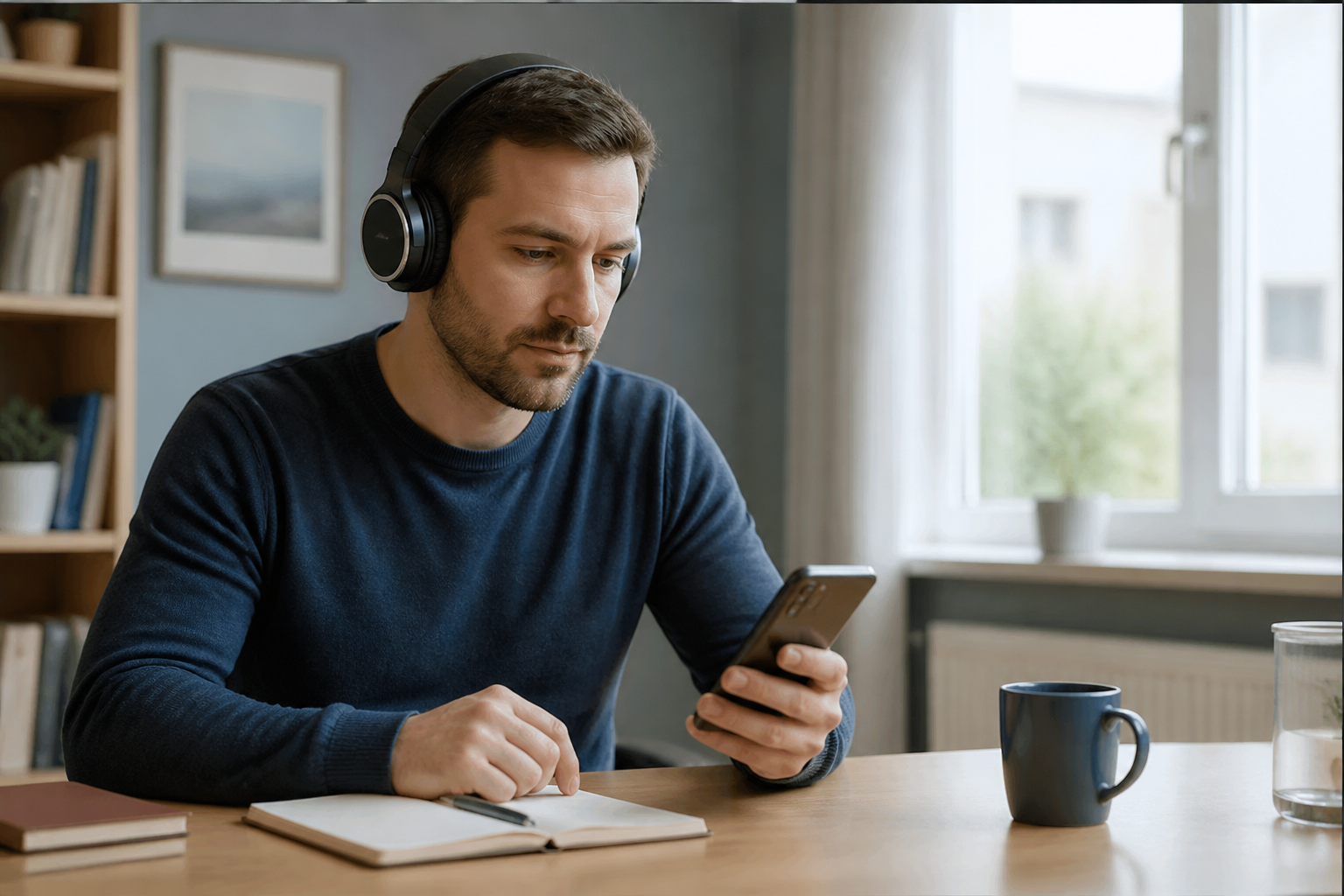
Headphones. DAF only works if you're hearing your delayed voice clearly and your live voice as little as possible. Closed-back or noise-isolating headphones work better than open earbuds, because they block more of your natural bone-conducted voice.
A quiet-ish room to start. Background noise makes it harder to notice the delay effect the first few times. Once you're used to it, you can test it in noisier, more real settings.
Reasonable expectations for the first try. The delay can feel strange or even mildly annoying at first, especially if you're not used to hearing your voice with a lag. That's normal. Give it a few minutes before deciding it's not for you.
What to actually expect
Here's the honest part.
DAF changes fluency for some people while the delay is active. It is not a cure, and the effect usually doesn't carry over once you take the headphones off. Think of it as a tool you switch on for a specific moment, a phone call, a presentation, a meeting, not something that retrains your speech permanently on its own.
Response to DAF also varies a lot person to person. Some people notice a real, useful change. Others notice little or nothing, or find the delay distracting rather than helpful. Neither reaction means you're doing it wrong. It just means DAF isn't the right tool for you, and that's worth knowing early rather than after buying a wearable device.
If you're working with a speech-language pathologist, DAF apps are worth mentioning at your next session. Some clinicians use them as one piece of a broader plan, not a stand-alone fix. STAMMA's apps and devices page is a fair place to check current options if you want a second opinion beyond app store reviews.
One thing to skip: novelty "speech jammer" apps and browser toys built as pranks. They use a similar delay effect, but they're built for laughs, not for practice, and they don't give you the control or consistency a real DAF app does.

How a DAF app is different from a conversation-practice app
A DAF app changes what you hear while you talk. It's an in-the-moment tool: on during the call, off after.
Nejo AI works differently. It's a speaking-practice app where you rehearse real conversations: a phone call, an intro, ordering at a counter, before you have them, and you can talk it through with an AI listener as many times as you want. There's no ear delay involved. The idea is building comfort with the situation itself, not changing the feedback loop while you speak.
Some people use both: a DAF app for real-time moments, and practice conversations to prepare for the moments that make them nervous ahead of time. Neither replaces speech therapy, and Nejo AI isn't a treatment or a cure. It's a place to practice. If you want to see how that kind of practice works, you can try Nejo AI alongside whatever else you're already doing.
For a broader look at stuttering apps generally, including practice tools, fluency shaping apps, and DAF, see our guide to stuttering apps. And if you're weighing app-based tools against working with a clinician, our piece on speech therapy for stuttering covers what that process actually looks like.
FAQ
What is a delayed auditory feedback app?
It's an app that plays your voice back into your headphones with a short delay, usually 50–250 milliseconds. The delay can change your speech rate and, for some people who stutter, reduce blocks or repetitions while it's active.
Is there a free delayed auditory feedback app?
Yes. Free browser-based DAF tools exist, and several phone apps offer a free tier with a fixed delay setting. Try one of these before paying for a dedicated app or device.
What is the best delayed auditory feedback app?
There isn't one best app for everyone, since people respond to DAF differently. A reasonable approach is: try a free web tool first, then a free app tier, then move to a paid app like DAF Pro or a wearable device only if the effect clearly helps you.
Do I need headphones?
Yes. DAF needs you to hear the delayed audio clearly while hearing your natural voice as little as possible. Closed-back or noise-isolating headphones work best.
Does a DAF app cure stuttering?
No. DAF can change how speech feels while the delay is on, but it isn't a cure and the effect typically doesn't carry over once you remove the headphones. It's a tool, not a fix.
How is Nejo AI different from a DAF app?
A DAF app changes what you hear in real time. Nejo AI is a speaking-practice app for rehearsing real conversations ahead of time, with no ear delay involved. Both can have a place, but they do different jobs.